Graham Mayor
... helping to ease the lives of Microsoft Word users.
 |
 |
 |
Many people access the material from this web site daily. Most just take what they want and run. That's OK, provided they are not selling on the material as their own; however if your productivity gains from the material you have used, a donation from the money you have saved would help to ensure the continued availability of this resource. Click the appropriate button above to access PayPal.
Remove multiple mail merge entries from tools menu
The problem
If you install the Microsoft Works suite of programs, including Microsoft Word (It was one of the cheapest ways of buying Word) then you are likely to find an accumulation of Mail Merge entries in the Tools menu, which grow like Topsy. - see below
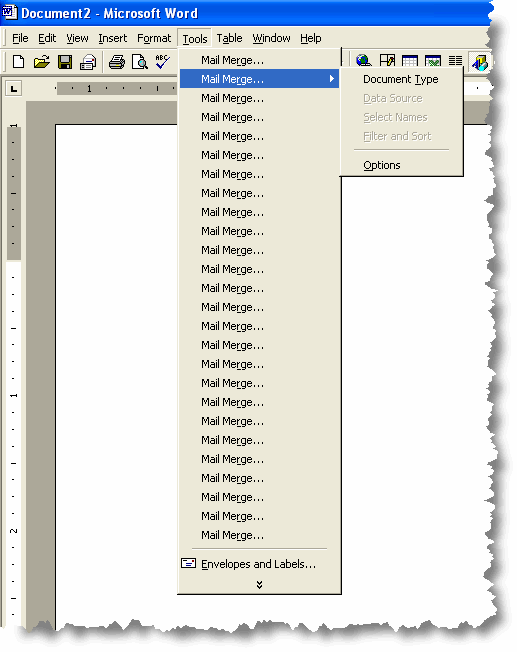
This is caused by a bug in the Works add-in for Word, which appears to look in the menu and if the entry is not where the add-in expects it to be, adds another in that position. Menus are made to be customized, so this is a poor bit of programming.
Fortunately the add-in doesn't do anything you can't manage without, and so the solution to the problem is to start by removing the add-in. The add-in is not a simple template containing macros and so it must be uninstalled through Windows Control Panel, Add or Remove programs. The illustrations are from Windows XP - other operating systems will feature different dialog boxes, but the procedure is essentially the same.
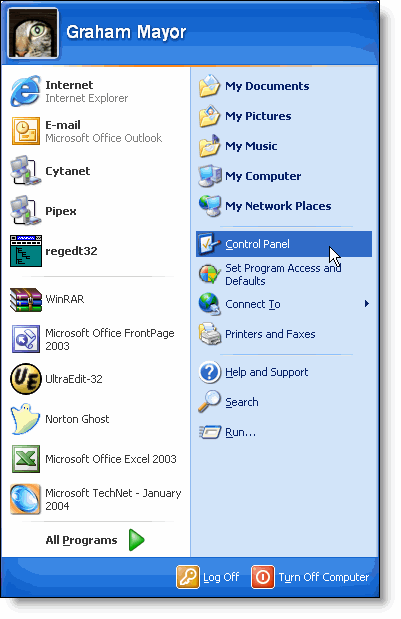
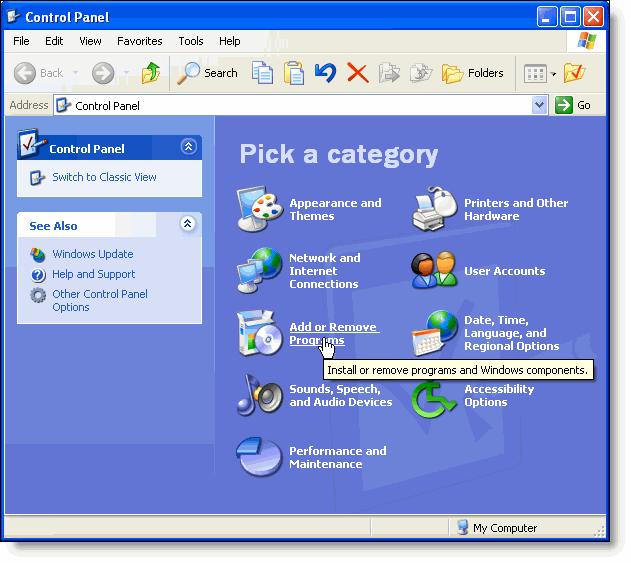
Locate the item highlighted below in the list of installed programs and delete.
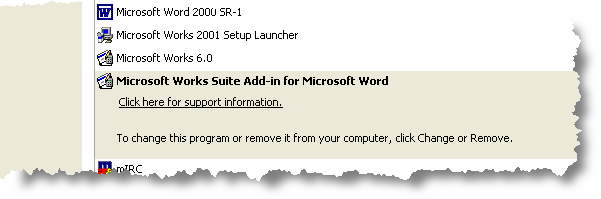
This will not of itself remove the additional entries. They have been written into the template. You could locate normal.dot and rename it, but this is a sledgehammer to crack a nut. Instead select Tools > Customize. This pops up the following dialog box:
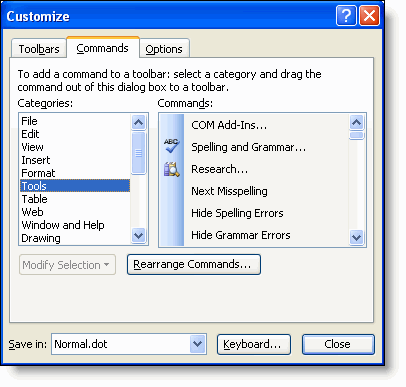
While that dialog is open, you can return to the Tools menu where the errant entries appear. The dialog box takes no further part in the proceedings.
Select each entry in turn, and with the left mouse button depressed, drag them off the menu, leaving just one.
Removing the add-in inhibits only minor functionality including the ability to mail merge directly from the Works database, however this is a small price to pay for the removal of an irritating bug. It is relatively simple to export data from Works to a Word compatible format in order to merge that data.
Word & Works
With the introduction of Word 2007 and more recently the replacement of Works with the inferior Office 2010 Starter version on may new systems, this issue will for most people have faded from memory, but there remains a large number of people who still work happily with the older products, so I have not withdrawn this page with the development of the new site format.