Graham Mayor
... helping to ease the lives of Microsoft Word users.
 |
 |
 |
Many people access the material from this web site daily. Most just take what they want and run. That's OK, provided they are not selling on the material as their own; however if your productivity gains from the material you have used, a donation from the money you have saved would help to ensure the continued availability of this resource. Click the appropriate button above to access PayPal.
Rental agreement template
The template featured on this page began life as a protected form I prepared for a private client, but I felt that I could adapt it to make it more generally applicable by means of a userform which drives the template, to populate a variety of document variables, which can be employed in the documents created from the template to produce rental agreements for holiday homes, apartments etc.
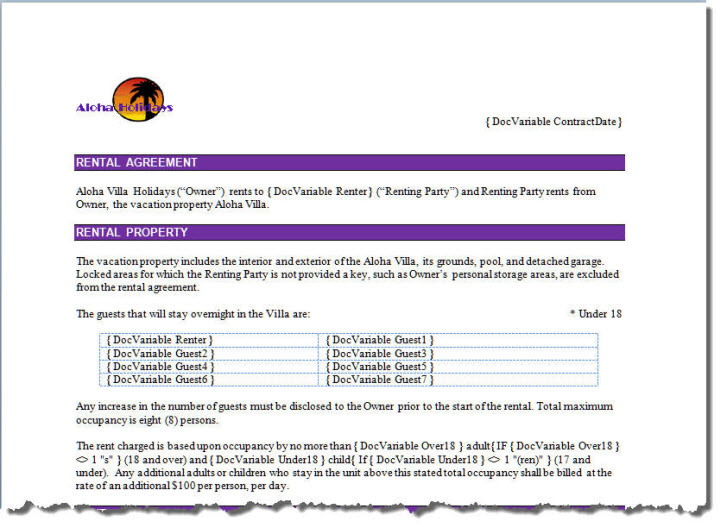
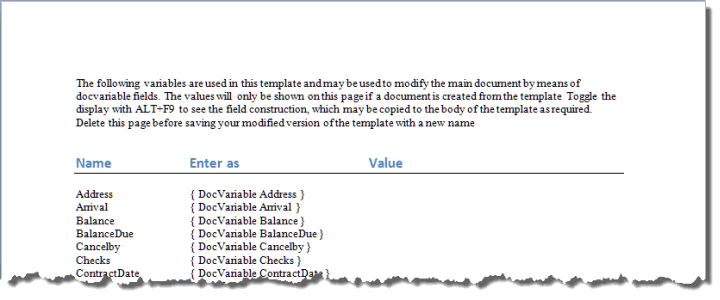
The body of the template contains the example rental agreement for a property belonging to fictitious holiday rental called Aloha Holidays. The document part of the template is not protected in any way and can be freely edited to include whatever text, layout or logos that you require, in conjunction with docvariable fields (some of which are shown in the illustration below - and all of which are listed in plain text on the last page of the template document for convenience) that place the variable information from the userform into the finished documents. The 'value' column is empty because the fields initially have no values.
Create a document from the template and that document will be filled with the values from the userform. Obviously you would delete the last page from the sample template when making personal changes and before Saving As with a new name.
The initial template is in US Letter paper size, but the page layout can be changed to A4, or whatever other page size you require. To aid its multi-national credentials, you can setup the date format, and the currency used in the document. The template even includes alternate UK and US English spellings. Currently these are dependent upon the currency symbol, however if there is sufficient demand I will modify the template to detect the Windows regional settings instead.
Some of the illustrations below show US format dates, others show UK format dates. This is purely for the point of demonstration. Users' date formats will be consistent.
The userform dates use the short date format of the current Windows regional setting.
The finished documents use the date format set in the configuration.
The macros which drive the userform are protected from viewing.
The template features a ribbon tab from which the user can recall the UserForm, and create a PDF version of the finished document. The Display Userform ribbon button will read existing field information from the document for ease of re-editing - e.g. to change a date or add a guest.
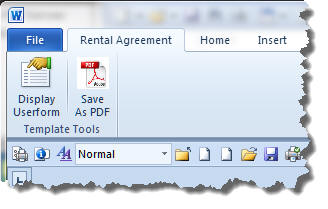
The template
As with all my templates and add-ins, on first use a disclaimer dialog is shown.
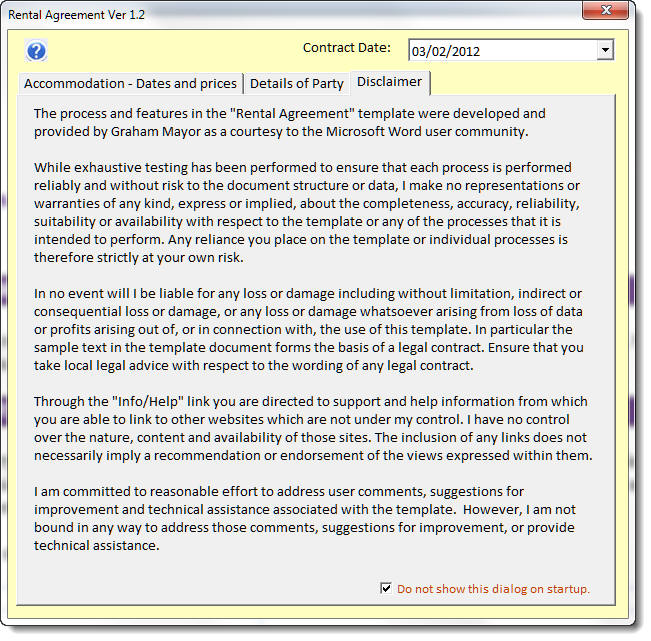
This can be disabled by checking the box at the bottom of the dialog (and restored from the configuration dialog).
Thereafter the first step is to fill in the data related to the particular rental agreement.
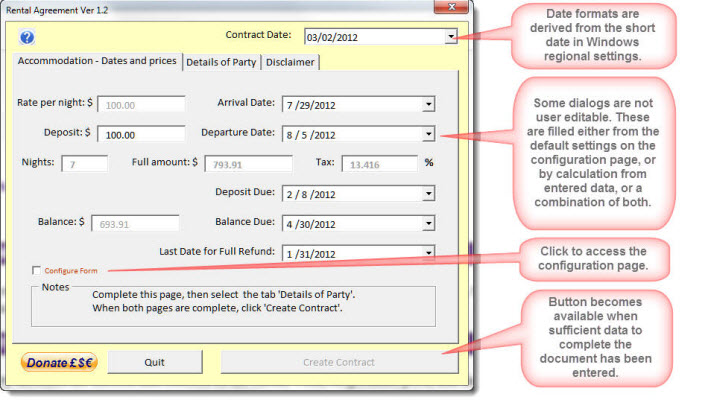
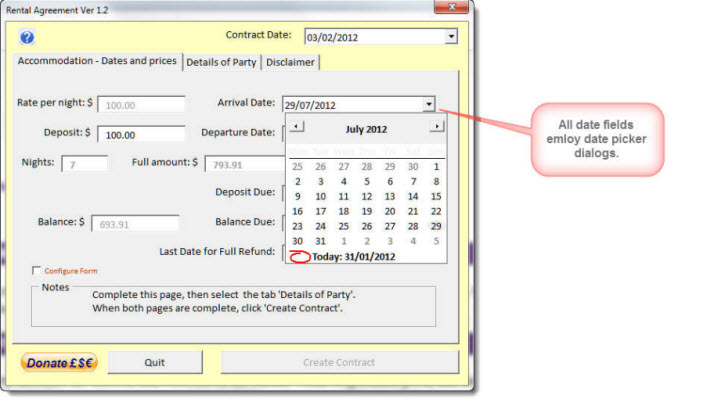
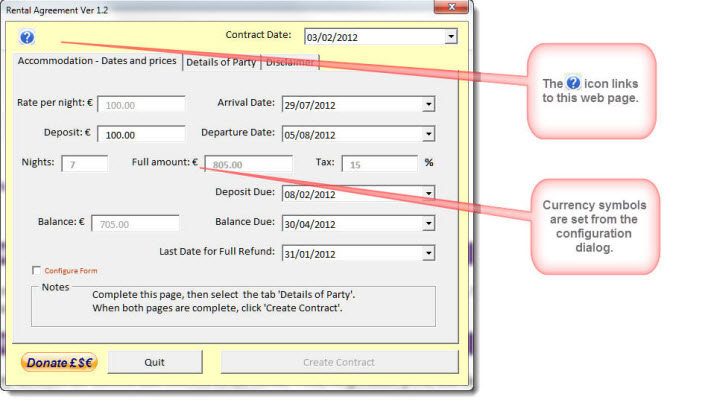
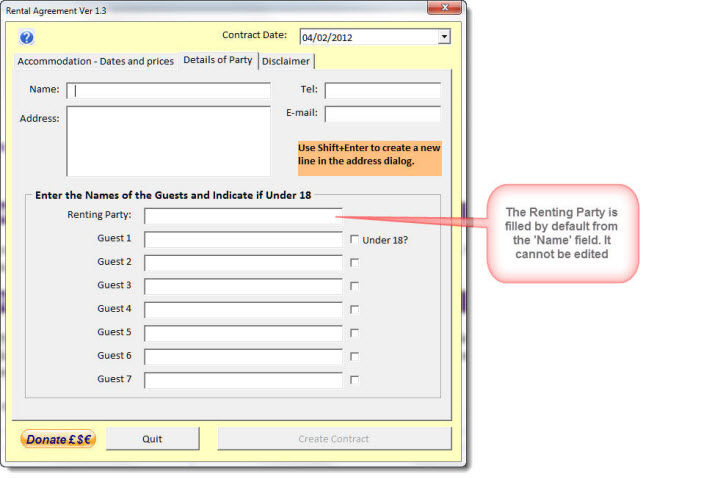
Before the 'Create Contract' button becomes available, sufficient fields to fill the document must be completed on the 'Details of Party' tabbed page.
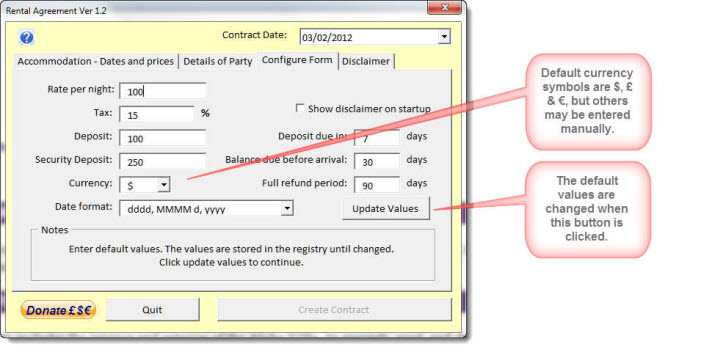
The Configure Form tab is normally hidden, but may be accessed from the check box on the 'Accommodation - Dates and prices' page. When the Update Values button is clicked the dialog is closed and re-hidden and the defaults are updated (whether or not there have been any changes).
Download the template to a trusted location (normally the User Templates folder) or be prepared to allow the macros to run when you create a new document.
Note: The template is intended to work with Office 2007 and the 32 bit versions of 2010.
 - Now download the template
Document template
This page features an automated Word document template for the production of rental agreements. The document can be tailored to a variety of purposes.