Graham Mayor
... helping to ease the lives of Microsoft Word users.
 |
 |
 |
Many people access the material from this web site daily. Most just take what they want and run. That's OK, provided they are not selling on the material as their own; however if your productivity gains from the material you have used, a donation from the money you have saved would help to ensure the continued availability of this resource. Click the appropriate button above to access PayPal.
Word Add-In to extract data from protected forms
Word forms have long been a valuable tool for collecting data, and while Word 2007 introduced the concept of Content Controls, there remains much to commend the old protected form with its legacy form fields.
For some time now this page had featured a set of macros that provided a means to extract the data from forms - especially a collection of similar forms returned by e-mail. Prompted by user feedback, I have used these old macros as a start point for the add-in now featured on this page.
The add-in will cater both for individual forms and for a collection of forms either saved to a Windows filing system folder or attached to e-mail messages. The add-in will handle forms that contain legacy form fields or content controls - but please, not in the same document!
This add-in was
initially designed primarily for extracting data from legacy
form fields. From version 3.0 the add-in includes also extensive
compatibility with forms using content controls. Content control
functionality is limited in Word 2007, in that the check box
control was not introduced until Word 2010, so that version is not
generally recommended for use with this add-in for the processing of
content controls.
My friend and frequent collaborator Greg Maxey has developed
alongside this add-in his own version, and while essentially similar to this one, he
includes additional processing to extract to Access tables, Word
documents and delimited text files. His
add-in is described in depth on
his web site, where you will also find
advice on using content controls in forms..
During the development of the latest versions, Greg and I
painfully recalled the huge disparity between the processing speeds of Word
2010 and 2016, and I spent far too much time trying to figure
out why his version processed the same legacy form field
document more than six times faster than my virtually identical
code ... and then I tested mine in Word 2010 and the reason was
clear. Word 2016 is pathetic at looping through large numbers of
form fields to process them.
I therefore recommend that for Word versions after 2010, forms
used for data extraction with this add-in, should employ content
controls rather than legacy form fields.
The add-in now includes processes to enable the conversion of
master forms from legacy fields to content controls, prior to
distribution, to name and bookmark forms with legacy fields and
to name and tag forms with content controls.
Illustrations on this page may be from earlier versions than the version currently available for download as shown in the title bars of the userforms.
Installing the add-in
The add-in was developed and tested with Office 2016, and makes use of Word, Excel and Outlook. It will however work equally well with Office 2007 (subject to provisos mentioned earlier), 2010 and later versions of those products. Where there's the option to use any one of these 2010 gives by far the best results.
The zip file (link at the bottom of the page) contains the add-in template for manual installation in the Word start-up folder, and an executable installer which will install the template in the Word startup folder and remove any older version. The installation should be made with Word closed.
If you have not changed the default startup folder it can be located (in English language versions of Windows) by typing %appdata%\Microsoft\Word\Startup in the Windows Explorer Address bar and pressing the Enter key.
When Word is started, correct installation will add a group to the Add-Ins tab of the ribbon featuring two buttons.
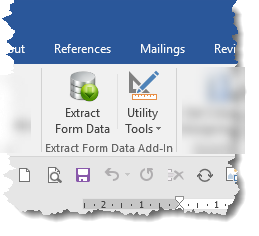
The right button provides access to a drop-down menu
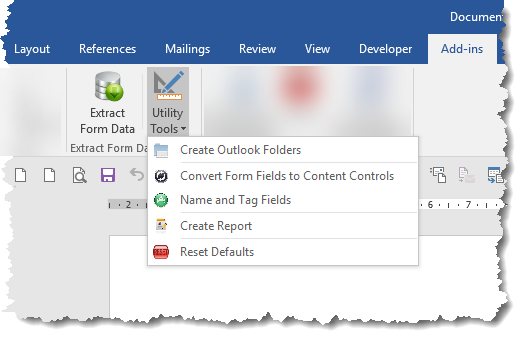
- The menu button 'Create Outlook Folders', checks if the Outlook folders used by the application are present, and if not, will create them.
- The main function will also check for the presence of the Outlook folders, but the separate button allows users to setup Outlook to receive completed forms by e-mail and file them ready for use by the add-in.
- The second menu button 'Convert Form Fields to Content Controls' is discussed later on this page.
- The third menu button 'Name and Tag Fields' is used to name and validate the names and bookmarks of legacy fields and the names and tags of content controls.
- The fourth menu button 'Create Report' is an aid to producing report documents using data from the form detailed later on this page.
- The final button resets the data stored in the Windows registry that holds the settings used by the add-in.
When a batch of forms has been sent out to be returned by e-mail, setup an Outlook rule to identify the messages, with the forms as attachments, and move them to the Outlook Inbox sub-folder named "Forms_In". The 'Create Outlook Folders' option can be used to pre-configure Outlook with the correctly named folder set.
Running the add-in for the first time
If upgrading from an earlier version, first click the Rest button in the dropdown Utility Tools menu.
The add-in stores a number of default values in the Windows registry. Given the range of options that the add-in provides for handling forms, a choice had to be made where to start, and I chose to set the startup option to process the active document.
The add-in features a multi-page userform. Your preferences will be retained for the next time the add-in is used. Use the button at the bottom of the userform to move between the various pages. Different options are presented according to the choices made.
The first time the application is run, and each time until the check box at the bottom of the application is unchecked, a disclaimer text is presented. Please read the text!
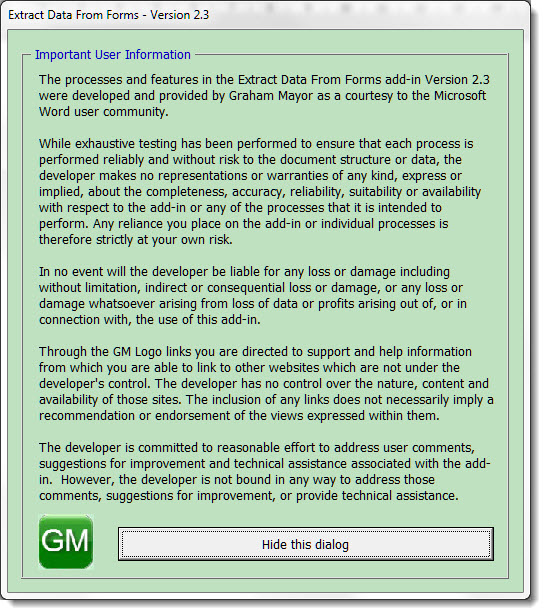
Click 'Continue to Configuration Settings' to complete the process.
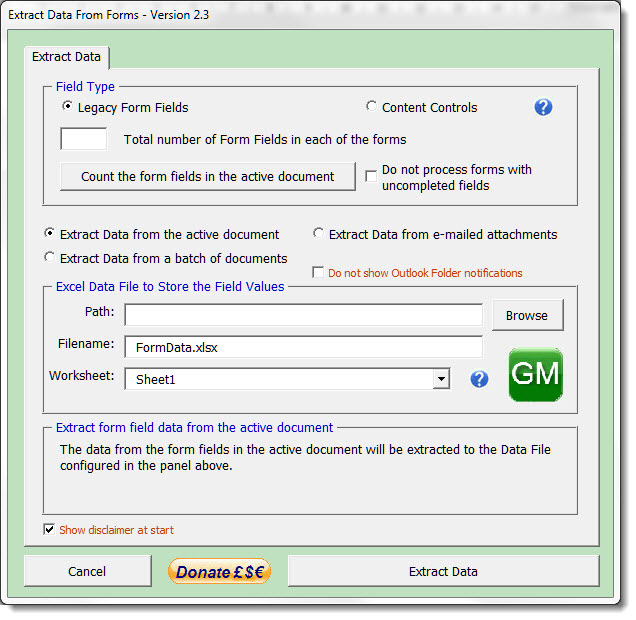
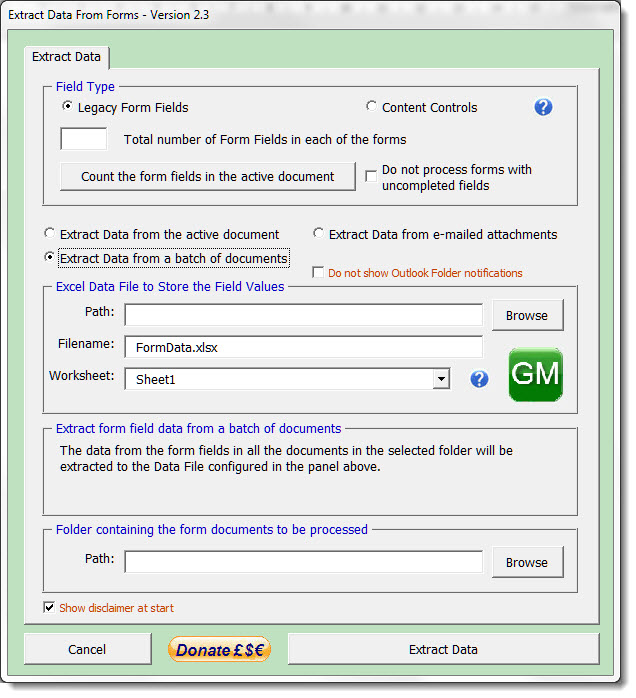
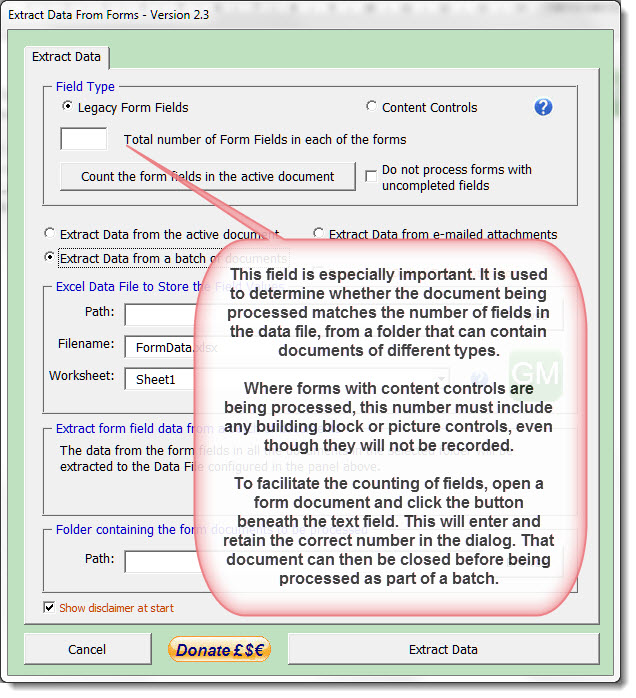
At the top of the dialog are option buttons to select the type of field used in the form document(s) followed by options to select the three types of process available:
- Extract Data from Active Document - This will extract data from the document currently open and active in Word. If the document does not have the requisite number of fields, then you will see a warning message and the process will quit.
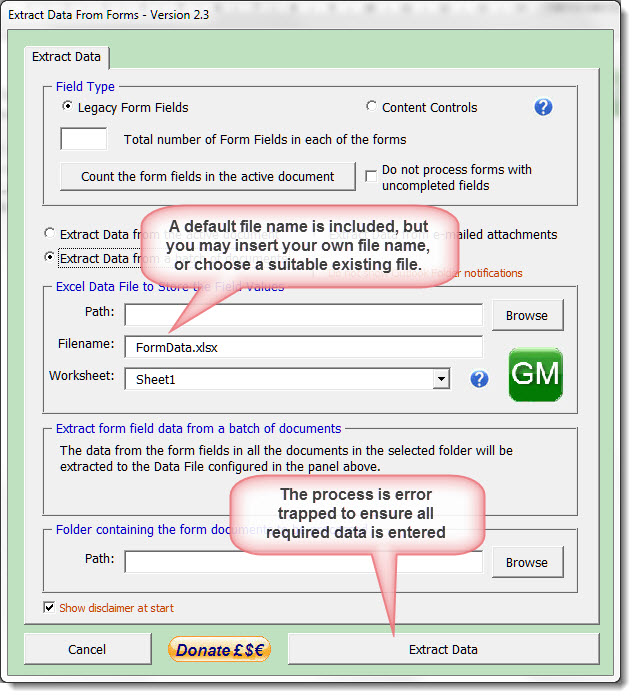
- Extract Data from a batch of documents - This is the same process as (1) above, but calls the documents from a folder of your choice.
- Extract Data from e-mailed attachments - This option reads processes the form attachments in e-mailed messages files in the Outlook Inbox sub folder "Forms_In".
The above illustration shows the first option, the following illustrations show the alternatives:
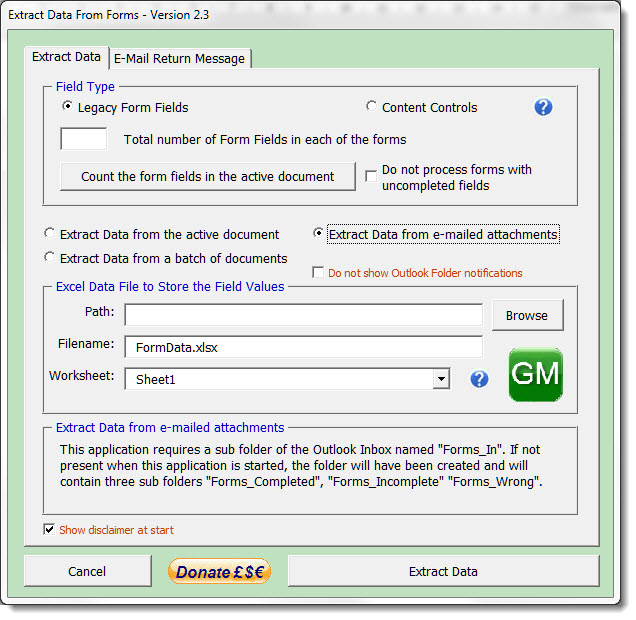
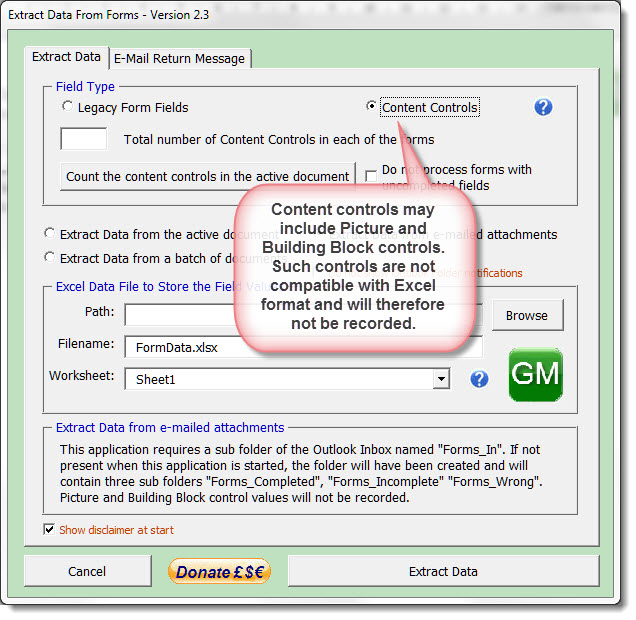
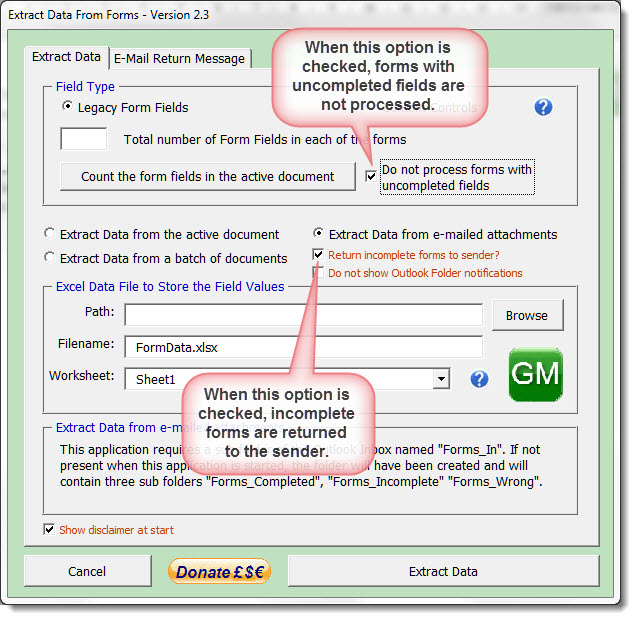
Note that when the Extract Data from e-mailed attachments is selected, a further tabbed option becomes available.
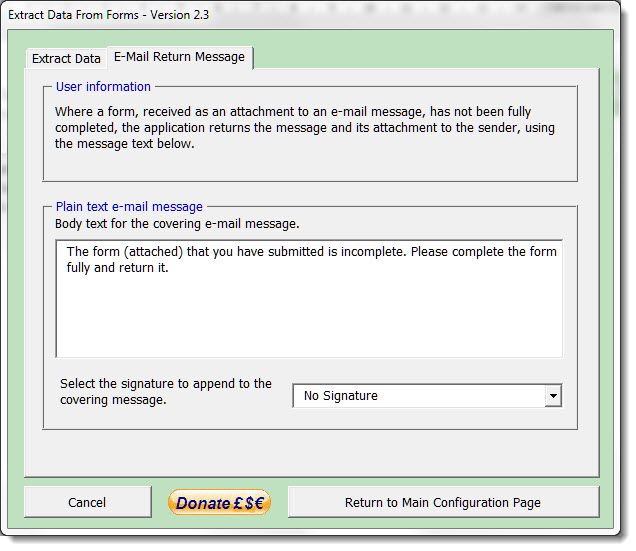
When e-mailed forms prove to be incomplete the process will return those incomplete forms to the sender. The extra tabbed page provides the option to include a personalised covering text message. A standard message is included as a default, with no signature added.
Using the following simple form as an example:
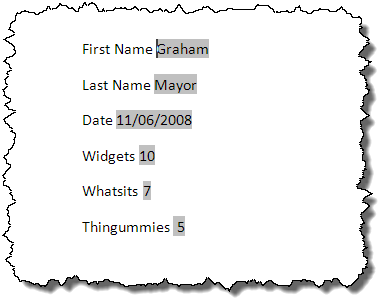
The following illustration shows the results of the save to Excel. The field names are added at the top - here the default field names Text1 to Text6.

When using forms with content controls, The function will not fully extract data from Picture or Building Block content controls, however if the image in a picture CC is 'linked to file' or 'linked and inserted' then the file name is extracted. Text of Building Block controls is extracted but rich content is not.
As the process is run as a background task, a process indicator is used to keep track of proceedings:
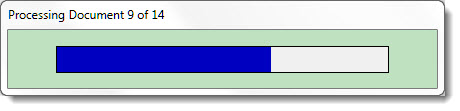
Utility Tools
Convert Form Fields to Content Controls
It was discovered during the re-development of the add-in that not only are content controls processed much faster than legacy form fields, but that Word versions after 2010 are very slow at processing form fields, yet there will be many business users who have sets of protected legacy forms for use in their commercial activities.
It can be very time consuming to redevelop a form with legacy form fields to content controls, so this process is designed to overcome that.
The process employs a simple user form
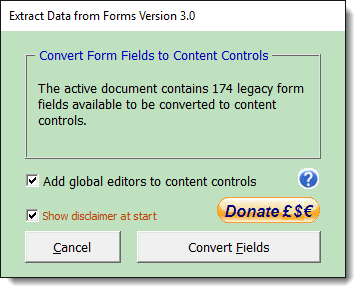
In order to convert the forms, any form protection must be removed. If the form is protected, the dialog expands for an optional password to be entered
The password is masked. If the password is incorrect the process ends.
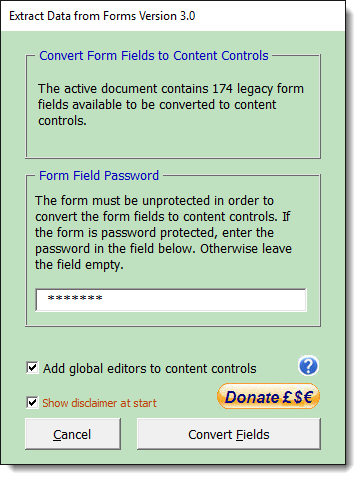
Note the reference to 'global editors'. These relate to protecting forms with content controls and are described in the help file which can be accessed by clicking the ? button. This also links to further information about the use of content controls in forms on Greg's web site.
A progress bar, similar to the one described for the main process is used to indicate the status of the conversion process. This should only take a few seconds.
Name and Tag Fields
This process works with both content controls and legacy form fields and is intended to ensure that each field is uniquely named. In the case of a legacy form, this also means having a unique bookmark associated with the field (bookmarks of course must be unique).
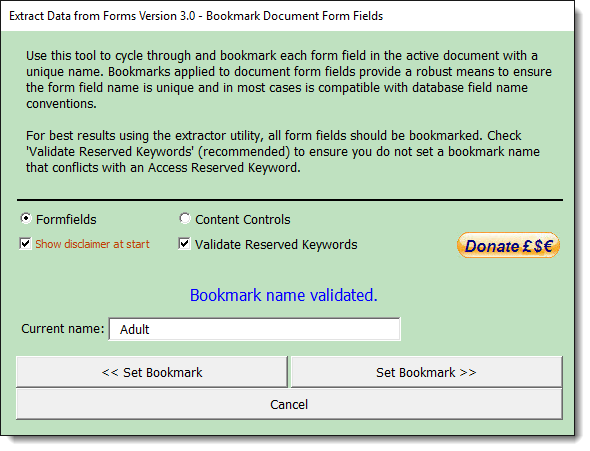
In the case of content controls, the process also affords additional functions in respect of field tagging, to allow a common tag to be applied to a selection of fields, or individual tags.
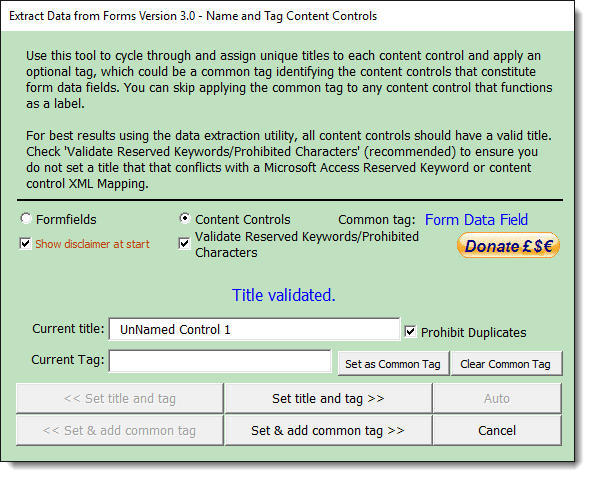
Both versions will by default validate the names against Microsoft Access reserved keywords, should you wish to later import the Excel data into an Access table.
The content control process also allows
for 'Auto' tagging (though not with the keyword validation
option set).
The code exists in the module for auto-naming the
legacy form fields also, but I remain unconvinced of the value
of that, especially as there is provision in the add-in to
provide meaningful names, so while I have allowed the Auto
function for content controls to remain for now, I have not
added
the Auto button to the legacy process.
If there is enough demand I could be tempted to redesign the
form to allow provision for the button for legacy fields also.
Create a report from protected form data
Having collected the data you probably want to do something with it, for example, create a report or letter.
For multiple letters, the Excel data file could be used as a datasource for a mail merge.
For users who want to create a report from a single form, I have added the facility to extract the data from each form field or content control in the current document and add the data to a new document created from a template of your choice, in the form of document variables named from the fields.
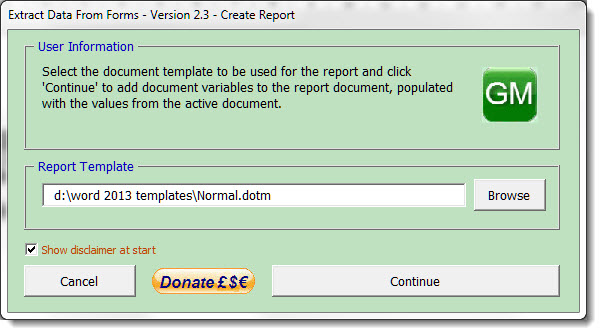
The Report template defaults to the Normal template, but you can use any other template if you prefer.
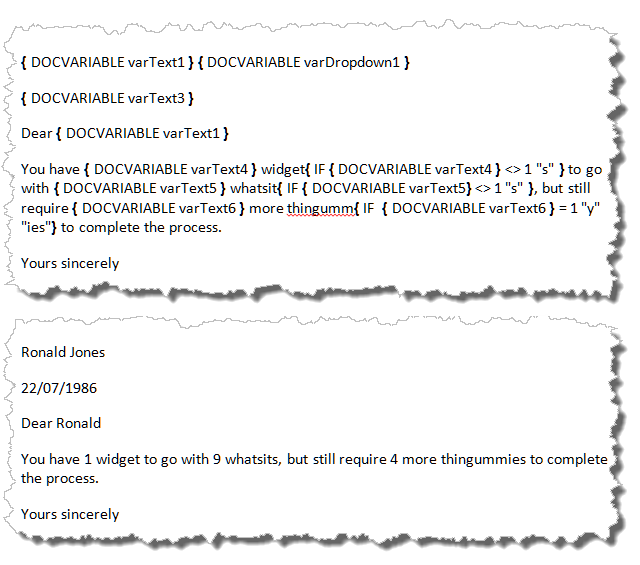
As an 'aide memoire' the document variables are also included as document variable fields at the end of the report document (as shown in the next illustration). If the named docvariables already exist in the template, the fields are not added at the end of the report, but the variables used in the report and any associated fields are updated as shown in the report example below.
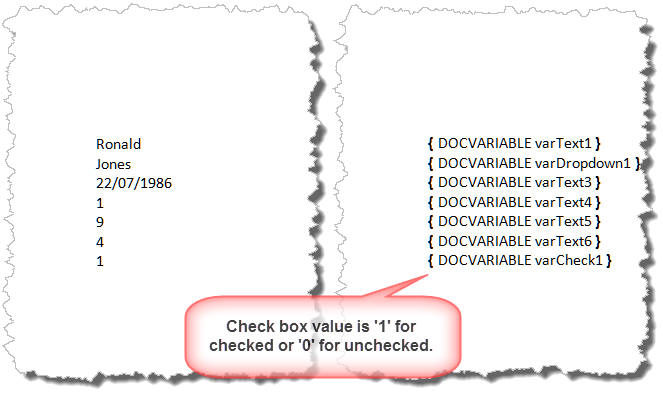
If you were to include the value of a checkbox form field in the
form, the Report function will resolve the result of a CheckBox as 1
(checked) or 0 (unchecked).
When the same process is performed with Content Controls rather than
legacy form fields, the Check Box content control is resolved as 'True' or 'False'.
Process Logging
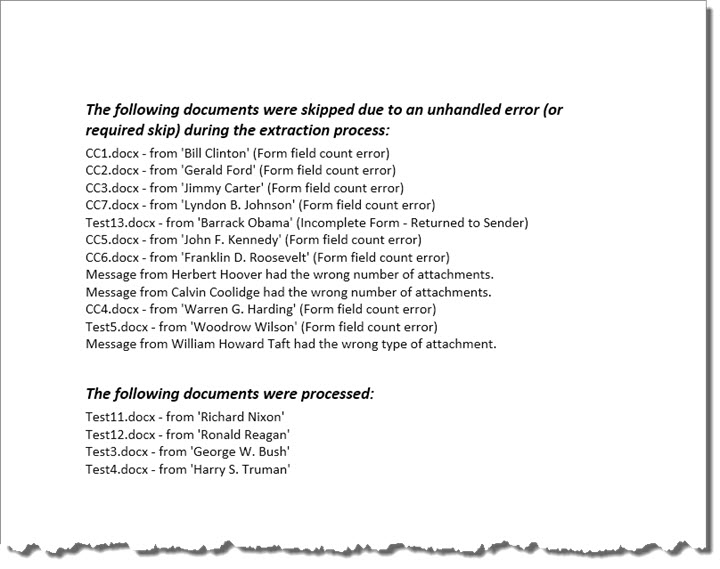
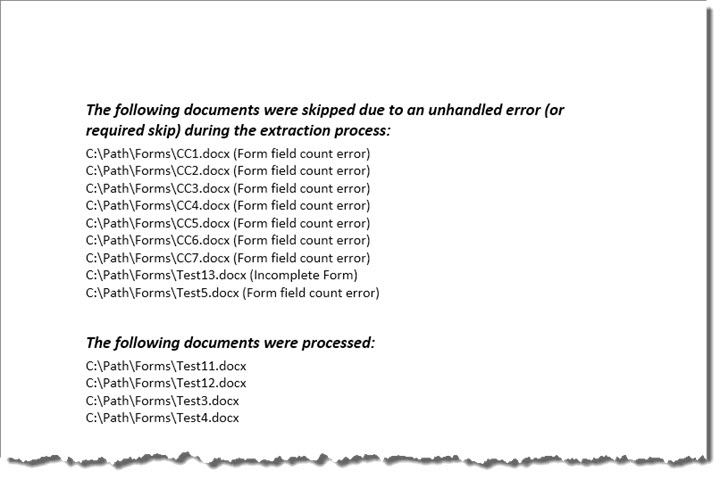
When forms are batch processed, either from e-mailed messages or from filed documents, the process is logged in a Word document and the results presented on completion.
 -
Click here to download the add-in
-
Click here to download the add-in
Extract data from Word Forms
Word 2007 and later versions do not provide easy access to the legacy form fields and the protect/unprotect button. You could simply add the 'Lock' button from the All Commands group to the QAT (Quick Access Toolbar) but if you are working regularly with protected forms I would recommend that you investigate the forms toolbar add-in from Greg Maxey's web site. which reproduces the familiar forms toolbar from older Word versions in a readily accessible format.