Graham Mayor
... helping to ease the lives of Microsoft Word users.
 |
 |
 |
Many people access the material from this web site daily. Most just take what they want and run. That's OK, provided they are not selling on the material as their own; however if your productivity gains from the material you have used, a donation from the money you have saved would help to ensure the continued availability of this resource. Click the appropriate button above to access PayPal.
Document 'Not Found' Error
Sometimes, when opening documents from Windows Explorer or by clicking attachments to e-mail messages, the document does not immediately open, but produces a series of error messages as shown below, or the file may not be associated with Word, but some other application (or in the case of multiple Word installations, the wrong Word version may be used).

If you click through this box, the dialog box referred to is displayed:
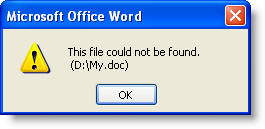
The filename shown is the filename of the requested document up to the first space in the path - which in the above example would be "d:\My Documents\Filename.doc" - thus to the first space "D:\My", to which is appended the file type extension ".doc".
Clicking through that error message may reveal yet more similar message boxes, culminating in the document opening, or it may simply open Word with a new blank document.
Re-register Word
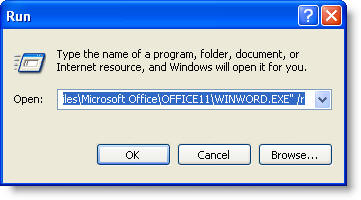
To address these issues, first re-register Word. Close Word (and Outlook) and in the Windows Start > Run applet (the following illustration is from Windows XP, but other Windows versions have a similar function) enter winword.exe /r.
If you have more than one Word version installed, then they will vie for control of the filing system. To overcome that, see https://www.gmayor.com/Toolbars_in_word_2007.htm, which details the registry changes necessary to enable them to peacefully co-exist.
When re-registering Word as detailed above it will then be necessary to include the full path to Winword.exe in the Run dialog and enclose the path in quotes e.g. :-
"C:\Program Files\Microsoft Office\OFFICE11\WINWORD.EXE" /r
where 11 is the Office version - here 2003. The final /r is not included within the quotes.
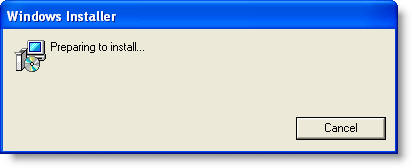
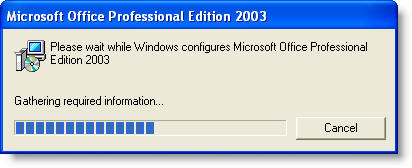
Click OK and if you have entered it correctly, you will see the Office configuration dialog (the dialog shown is from Office 2003). Allow it to complete before attempting to restart Word.
If you wish to have Word 2003 open DOC and DOT files, but Word 2007 or 2010 open DOCX, DOCM, DOTX and DOTM files, re-register Word 2007 or 2010 first, then re-register Word 2003.
In the case of Office 2010, installed with Click to Run technology, there is no conventional
file structure relating to Office on the C: drive (as shown in the illustrations below). The installation uses instead a virtual Q: drive.
"Microsoft Office Client Virtualization Handler" will
appear in the list of programs. Associate the Office files with that.
OR
Download the conventional installation file for your Office version and remove the Click to Run
version to be replaced with the conventional version which will install on the C: drive.
If that doesn't fix it select a document in Windows Explorer, right click and choose Open with...
From the ensuing dialog select Word (winword.exe) and check the box to always open with this application.
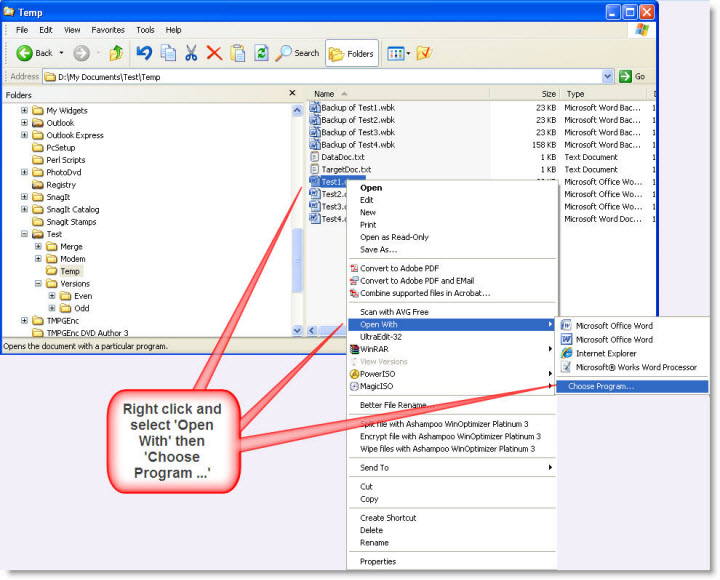
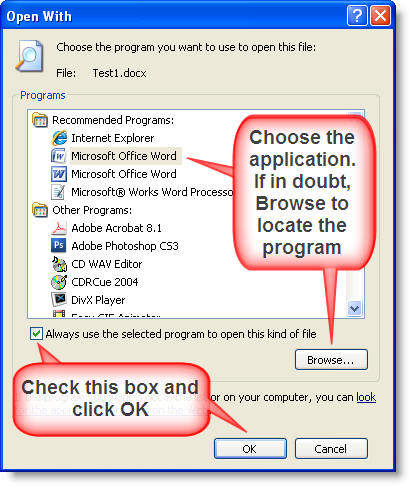
Note: In some situations, the above will not fix the problem, which is attributable to a registry entry associated with the particular document type.
Should that occur: From the Windows Start Menu > Run command, type Regedit to open the registry editor.
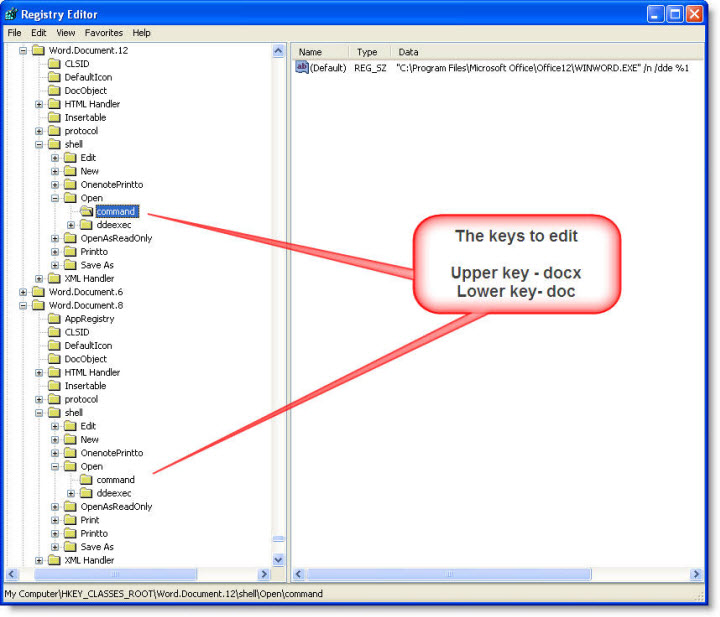
Let's consider the two most likely document types - Word document (doc) and Word 2007 document (docx) and the relevant registry entries which are:
Word 97-2003 doc format
HKEY_CLASSES_ROOT\Word.Document.8\shell\Open
Word 2007 docx format
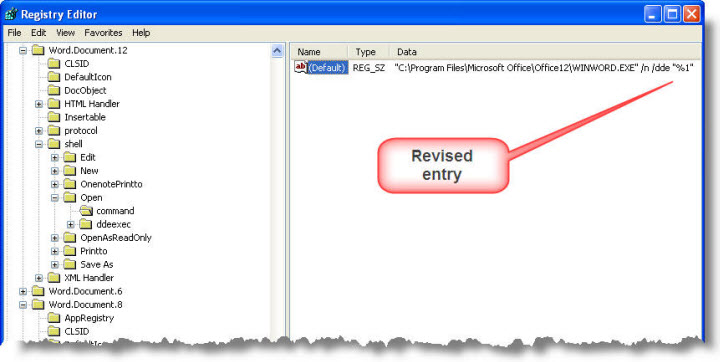
HKEY_CLASSES_ROOT\Word.Document.12\shell\Open
In both cases the ddexec sub key will have a value of
[REM _DDE_Direct][FileOpen("%1")]
and the command sub key will have a value of
"C:\Program Files\Microsoft Office\Office12\WINWORD.EXE" /n /dde %1
It is the %1 at the end of the command sub key that is the problem. Either edit the key to remove the 1% or surround it with quotes thus
"C:\Program Files\Microsoft Office\Office12\WINWORD.EXE" /n /dde
or
"C:\Program Files\Microsoft Office\Office12\WINWORD.EXE" /n /dde "%1"
In the examples that follow, I have surrounded the %1 with quotes.
In the entries for both document types shown above Office12 in the program path refers to Word 2007. If the default Word application is 2003 change that to Office11.
Similarly, If the default Word application is Word 2010, change that to Office14.
When you access the registry key unless you have more than one version of Word installed, vying for possession of these keys, the correct path should already be present.
Word 2010 tends to complicate matters, as it more aggressively retains the file associations for itself. However it should be possible to force Windows to use the correct association.
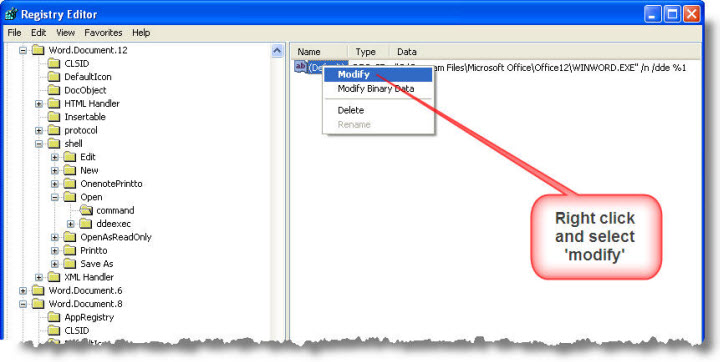
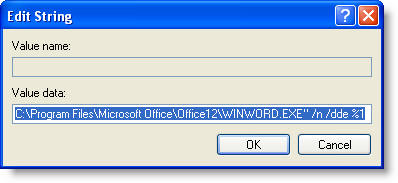
Remove the %1 from the end of the string, or add quotes around it as shown below. Do not type in the 'Value data' field while the text is selected as above, or your typing will replace the entry. Instead first press the END key to move the cursor to the end of the field.
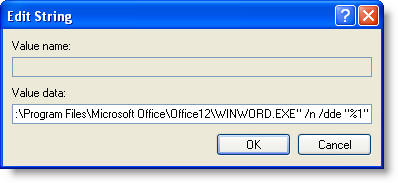
Click OK to update the entry
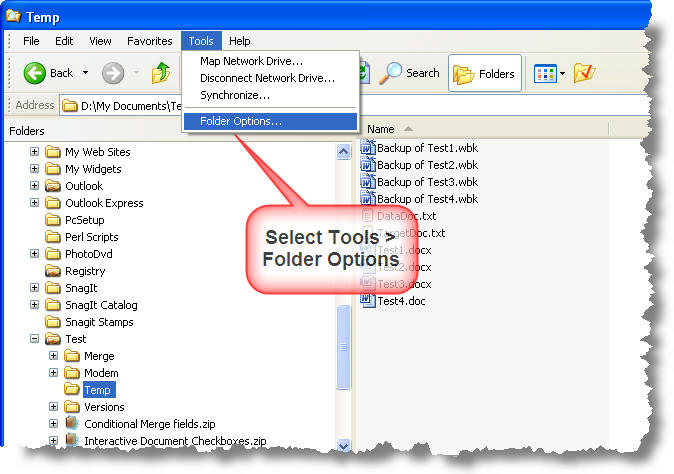
Windows Explorer Options
If you are uncomfortable editing the registry directly, the same entries can be changed in Windows XP using tools in Windows Explorer.
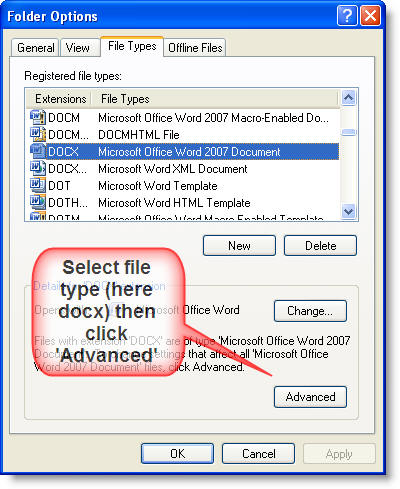
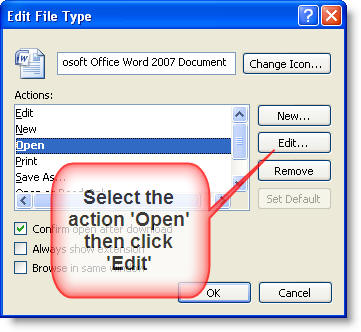
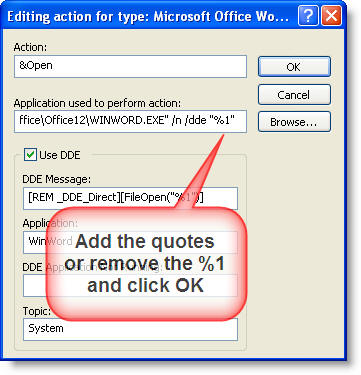
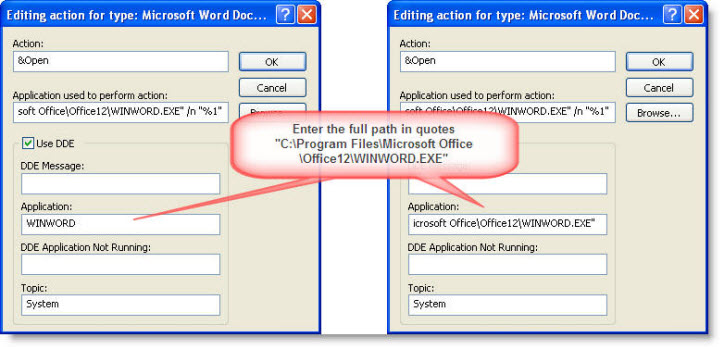
The above instructions concentrate only on the 'Open' action. It may be necessary to change the command line for other actions - such as 'Print', 'Edit', or 'New'.
Error when opening documents
This page covers the issue of not being able to open a document by clicking an e-mail attachment or by clicking its filename in Windows Explorer.