Graham Mayor
... helping to ease the lives of Microsoft Word users.
 |
 |
 |
Many people access the material from this web site daily. Most just take what they want and run. That's OK, provided they are not selling on the material as their own; however if your productivity gains from the material you have used, a donation from the money you have saved would help to ensure the continued availability of this resource. Click the appropriate button above to access PayPal.
Multiple Document Batch Printer
The add-in, described below, involved draws upon the code used in the 'Insert a batch of files into a Word document' add-in which you can view here.
The code has been modified to allow only Word doc & docx format documents to be selected, ordered and printed, and is presented in the form of a pair of add-ins.
The add-in may also be used in conjunction with the add-in to merge to individual documents to send each merge document to the printer as a separate task e.g. where the printer provides stapling or folding functions.
The function is activated from a button which is added to the Add-ins tab in Word 2007/2016, The add-in additionally has buttons to remove the registry settings and to display this web page.
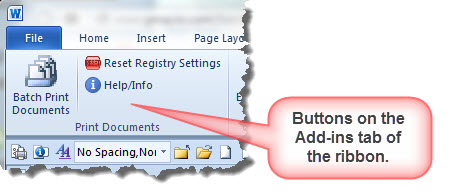
When the Batch Print Documents button is first clicked, the user is prompted to select the folder containing the documents to be printed. Select the required folder as shown in the following illustration.
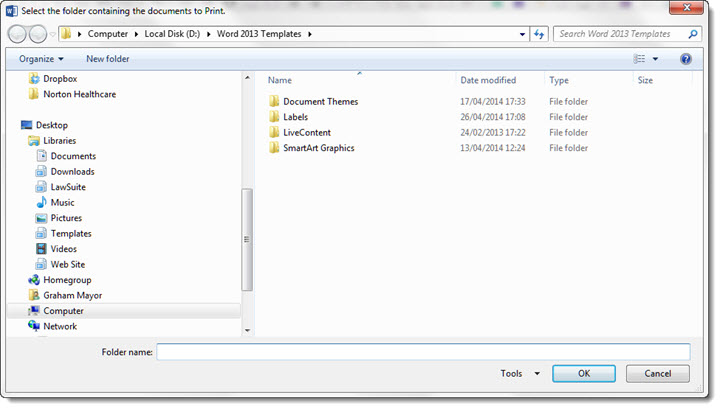
The last used folder is recorded and selected automatically the next time the function is run. As this can lead to problems where different users share a PC, when the last used folder is not available to the current user, the prompt to select an alternative folder is presented instead.
Click OK to proceed or Cancel to quit.
The following illustrations are from the Word 2007/2010 Version.
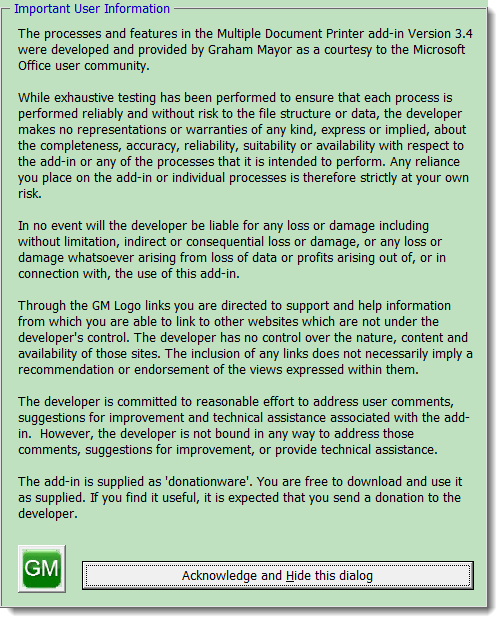
The first time the function is used, the following disclaimer text is displayed. Please read all of the text before continuing.
This dialog can be omitted on subsequent use by means of a check box at the bottom of the main dialog.
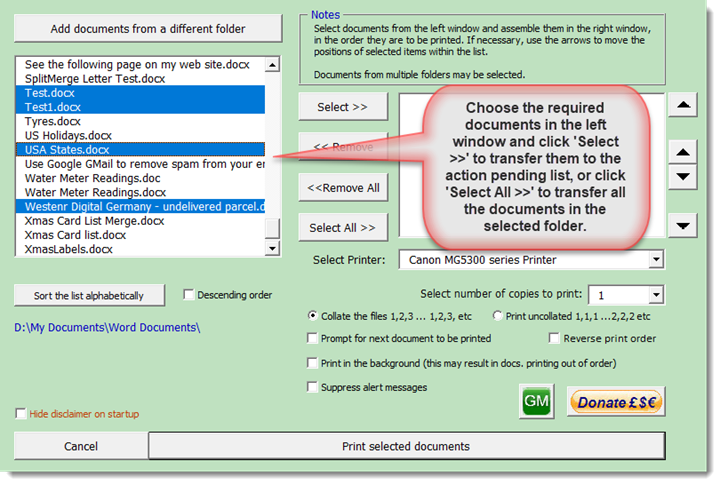
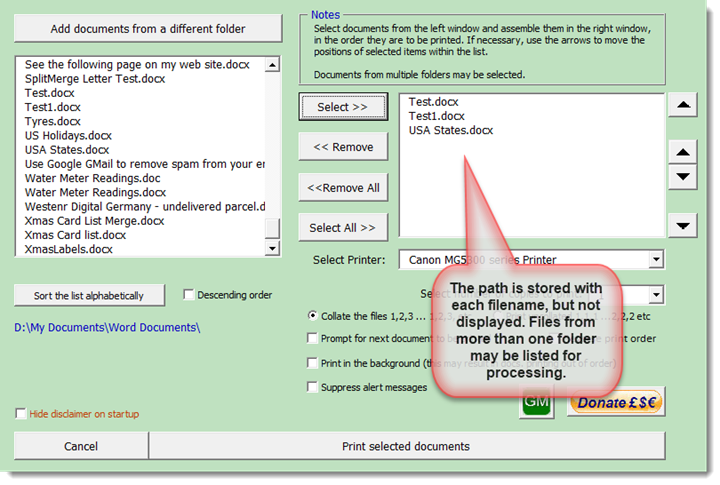
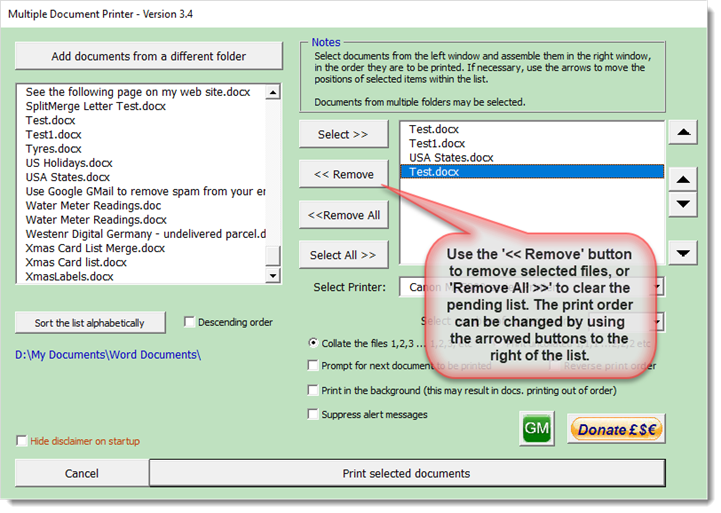
When the dialog is closed, the mail form is displayed as shown below:
Illustrations may not accurately reflect the current version, though the principles and processes are similar, except where indicated.
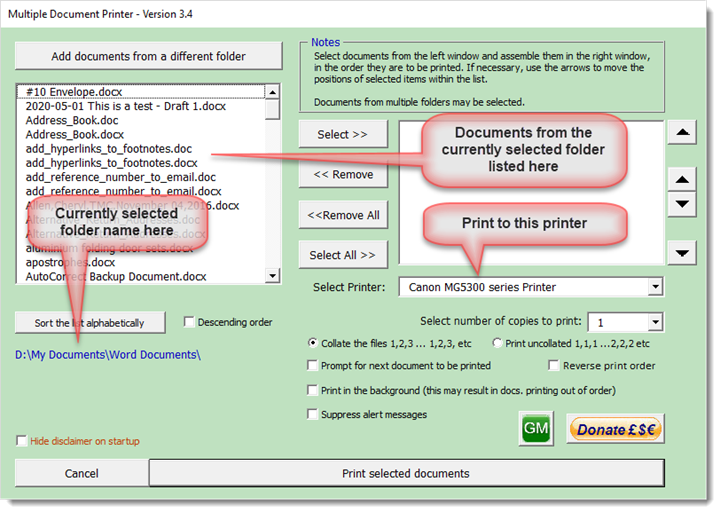
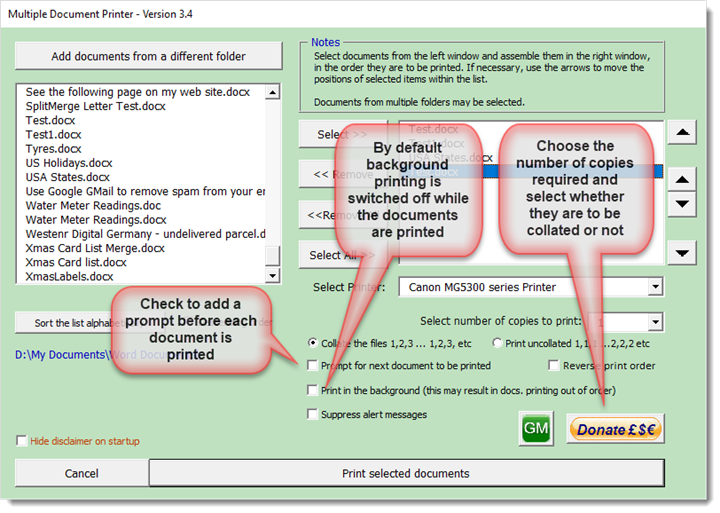
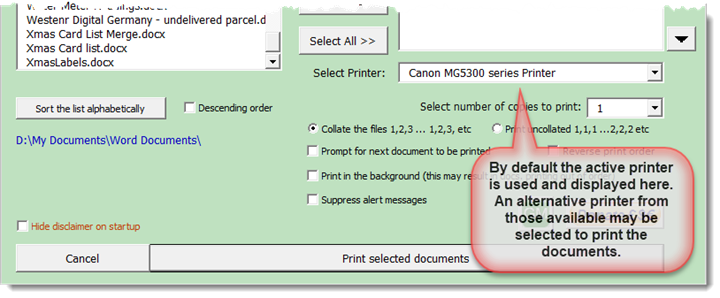
Documents may be selected individually or collectively, and you can choose to add a prompt between the printing of each document e.g. to manually feed paper.
A number of users have commented that the application sometimes prints some of the documents out of order, therefore from version 2.3 the application disables background printing for the duration, restoring your preferred setting of this option on completion. This can be disabled from a checkbox on the userform.

 -
Click here to download the add-in
-
Click here to download the add-in
Print a batch of files
This page was originally inspired by a Word newsgroup question from a user who wanted to batch print a selection of Word files in a particular order.
It is possible to simply select group of files using Windows Explorer or its Vista equivalent, right click and select the option to print, and the documents will be printed, but to force the documents to be printed in a particular order, or even the order in which they appear in Explorer, is a little more complex.